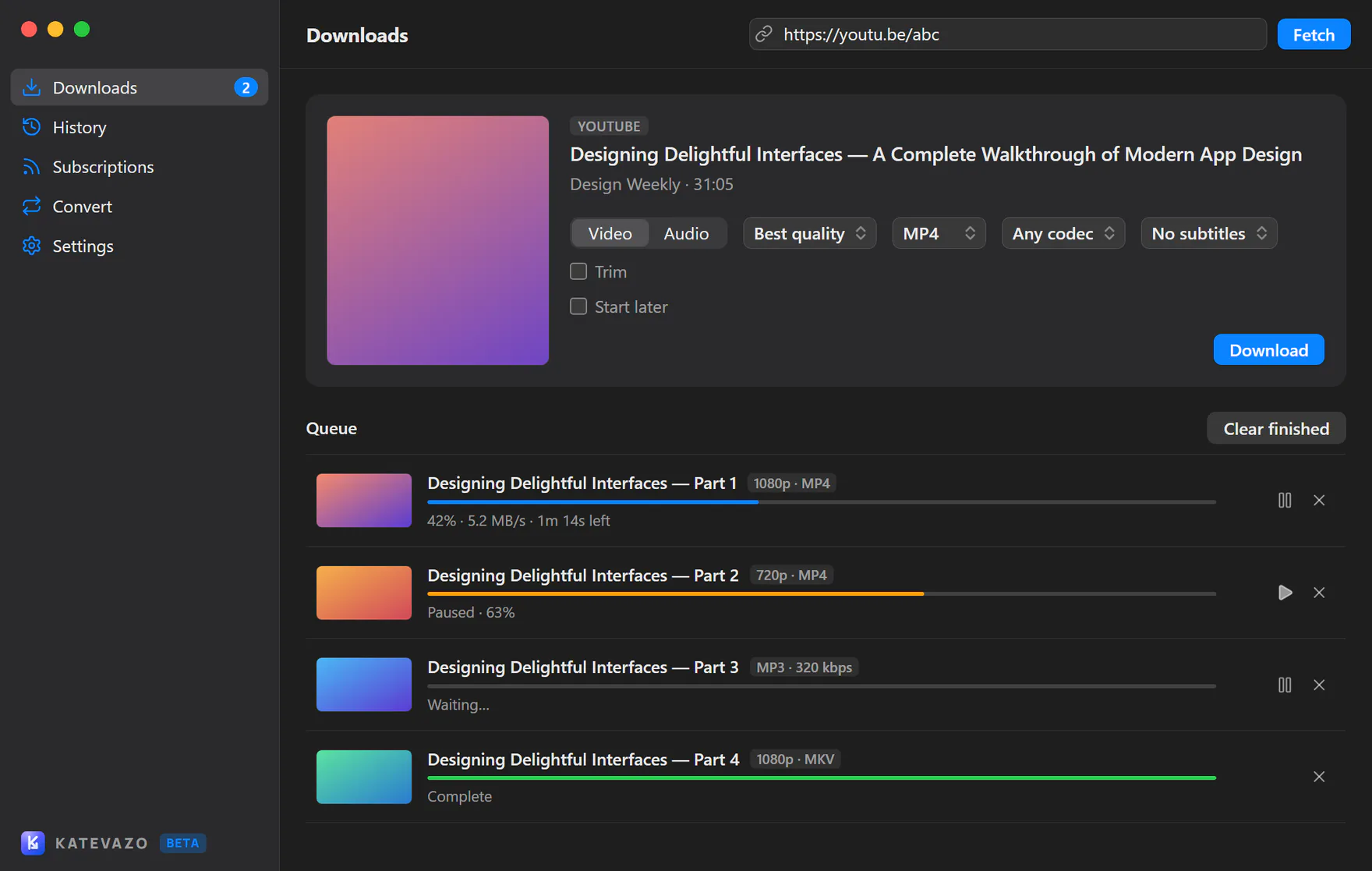
Video or audio
Pick the quality you want, as MP4 video or MP3 audio, after previewing the title and thumbnail.
Katevazo is a clean, fast video downloader for Windows, macOS and Linux. Paste a link, pick a quality, and let the queue do the rest.
Windows, macOS (Apple Silicon) and Linux. Free, with no account.
Features
Built on yt-dlp and ffmpeg, wrapped in an interface that stays out of your way.
Pick the quality you want, as MP4 video or MP3 audio, after previewing the title and thumbnail.
Several downloads at once with live progress, speed and time remaining, in one steady progress bar.
Stop any download and continue later. Partial files are continued, not restarted.
Update yt-dlp in one click from inside the app, so downloads keep working when sites change.
Drag and drop links, press Ctrl/Cmd+K for the command palette, or Ctrl/Cmd+Shift+D from the tray.
Send the page you are on to the app, with download buttons on YouTube and Instagram.
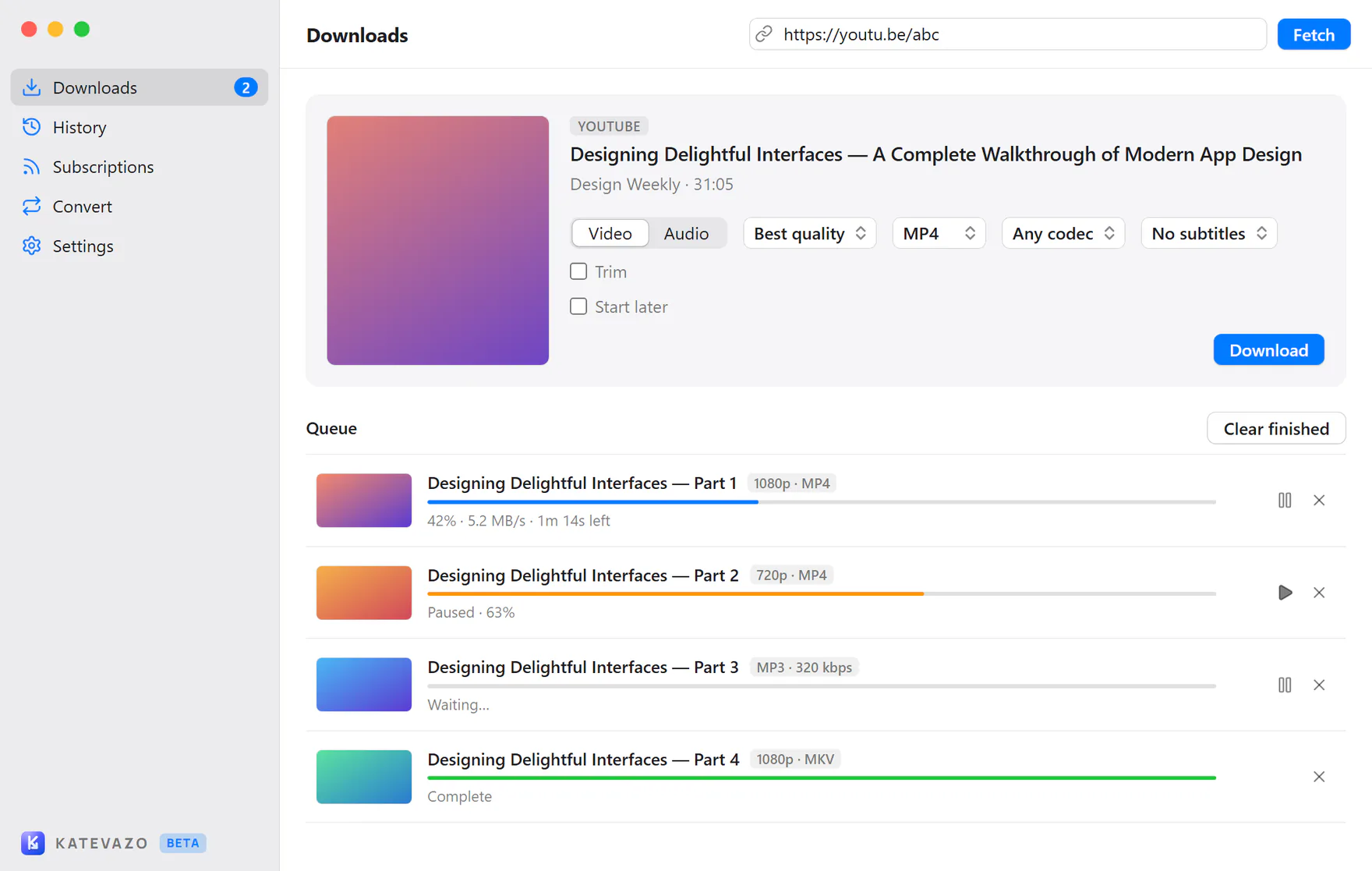
A native-feeling interface that follows each system's window style, in light, dark or system appearance.
English, Spanish, French, German, Portuguese, Italian, Japanese and Simplified Chinese.
No account, no analytics and no ads. Everything runs on your computer.
How it works
Drop in a video address, or send it from your browser. Katevazo fetches the title, thumbnail and the qualities on offer.
Select video or audio and the quality you want. Nothing downloads until you press Download.
Watch it in the queue, pause or retry whenever you like, and find the finished file in your folder.
Screenshots
The window follows each platform's conventions, in light and dark.
Browser extension
Send the page you are viewing, or any link you right-click, straight to the app. It also adds a download button to YouTube's player and Shorts, and to Instagram reels and video posts from public accounts.
Firefox is coming soon. It needs the Katevazo app installed, and works with Brave, Vivaldi and other Chromium browsers too.
Download
Version 0.6.0. Free, with no account and no ads. Katevazo is in early development, so expect some rough edges.
The installer is not code-signed yet, so SmartScreen may say "Windows protected your PC". Choose More info, then Run anyway.
The app is not notarized yet. If it will not open, go to System Settings, Privacy & Security and choose Open Anyway. If macOS says it is damaged, run xattr -cr /Applications/Katevazo.app once in Terminal.
Make the AppImage executable (chmod +x) and run it, or install the package with your package manager.
Looking for older versions or the source? See all releases.
FAQ
Yes. Katevazo is free and open source under the MIT licence, with no account, ads or tracking.
Katevazo is a desktop video downloader for Windows, macOS and Linux. It wraps yt-dlp and ffmpeg in a clean interface with a download queue, pause and resume, and MP4 or MP3 output.
YouTube is the site tested so far. Katevazo uses yt-dlp, which supports many more sites, and they may work too.
The installers are not code-signed or notarized yet. Windows SmartScreen and macOS Gatekeeper may warn on first launch; the Download page explains how to open the app anyway.
Yes. The Send to Katevazo extension only hands links to the Katevazo app. After installing or updating the app, open it once so it registers with your browsers.
Open Settings in the app and update yt-dlp. It takes one click.
Only download content you own or have permission to save, and follow each site's terms of service.
Open an issue on GitHub, or see the support page.